

Why Your Review Request Texts Aren't Working: Five Mistakes Most Owners Make
The owner is convinced the system is running. The dashboard says two hundred texts went out last month. The Google profile shows seven new reviews. Seven divided by two hundred is three and a half percent, and the owner shrugs and assumes that's just what review-request conversion looks like. It isn't. The same business, with the same customers, can hit twenty to thirty percent. Why it usually doesn't comes down to five specific mistakes, none of which are obvious from the dashboard. All of them are fixable in an afternoon.
I've looked at a lot of review-request setups for businesses that thought they had a working system. The pattern is consistent enough that you can almost diagnose it from the conversion rate alone. Below are the five mistakes that account for nearly every underperforming program, what each one looks like in real life, and the specific fix, with before-and-after copy where it matters. At the end I'll cover the diagnostic order: the three things to check before you start rewriting messages.
Why "It's Probably Just Bad Luck" Is Almost Never True
Owners with underperforming review programs tend to blame three things, in roughly this order: the customers ("they just don't leave reviews"), the message ("maybe I should tweak the wording"), and the platform ("the tool must be broken"). All three are usually wrong.
The customers do leave reviews. They leave them for the salon down the street running a similar service to a similar demographic. The wording is rarely the limiting factor; I've seen the same wording convert at 4% in one shop and 26% in another. And the platform is almost always doing what it says it's doing, technically. The problem is that what it's doing isn't quite what the owner thinks it's doing.
The real issue is almost always operational: when the text goes out, what it looks like when it lands, and whether the customer recognizes the sender. Fix those three categories and conversion roughly triples for most underperforming setups. Fix the message before you fix those and you'll be tweaking copy for a year without moving the needle.
Mistake 1: You Sent It Too Late
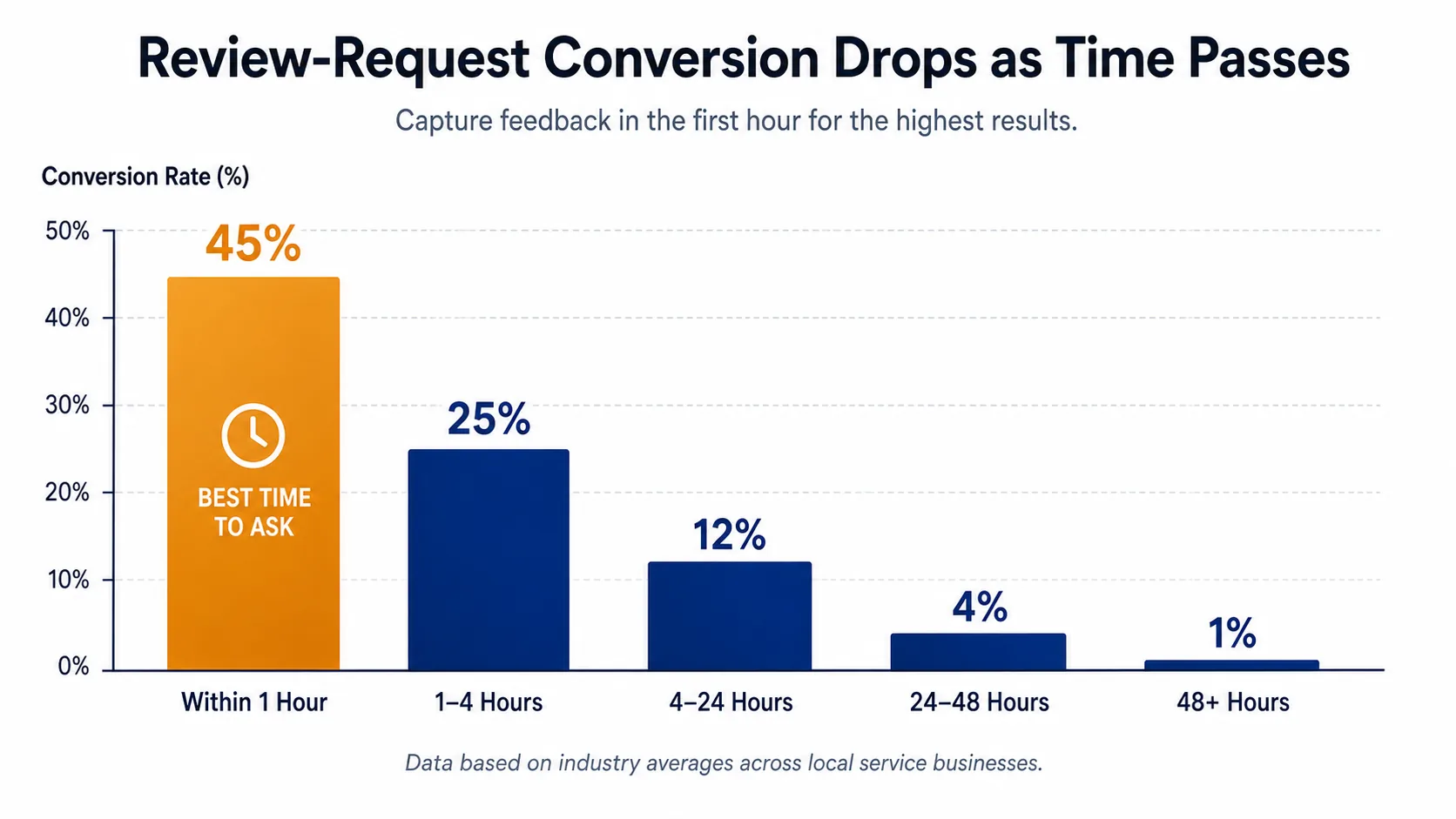
This is the single most common mistake I see, and it's responsible for more low conversion rates than the other four combined. The text goes out hours or days after the customer's visit, and by the time it lands the customer has cycled through six other things and the experience is no longer top-of-mind.
In real life this looks like a system configured to send "at the end of the day" or "the next morning" or "every Monday for last week's customers." Sometimes it's a CRM workflow that batches sends to save costs. Sometimes it's an owner who set it up "with a respectful delay so we don't seem pushy." Whatever the rationale, the effect is the same. The warm window closed before the text landed.
The warm window (the period when the experience is still emotionally fresh) lasts about four hours for most local services. Inside that window, a thoughtful ask feels natural and converts north of 20%. Outside it, the same ask feels random and converts at low single digits. The drop-off between hour 4 and hour 24 is steep enough that "the next morning" is, in practice, the same as "never."
The fix is to send within an hour of the visit ending. Not at the end of the day. Not in a batch. The trigger is the appointment completion event, and the send goes out as soon as the system can dispatch it. If your stack can't do that, whether because it requires manual review of a queue or only sends at scheduled intervals, you have a structural problem, not a content one. I get into the trigger architecture in detail in the review automation guide.
Before: Sent at 8:32 a.m. the day after the visit.
After: Sent at 2:15 p.m., 35 minutes after the customer paid and walked out.
The text doesn't need to change. Just the send time. I've seen this single fix double conversion overnight in shops where everything else was fine.
Mistake 2: Your Text Is Too Long
The second most common mistake is a text that looks like an email. Three paragraphs, multiple sentences before the link, a "we'd love to hear your feedback" preamble, an "as a small business" softener, and then somewhere down at the bottom, the actual review link. The customer's eyes glaze before they get to the ask.
A text message has about one screen of attention. If the recipient has to scroll, you lost. If they have to read more than two sentences, most won't. SMS isn't the place for nuance. It's the place for one clear sentence and a tap.
What this looks like in practice is the well-meaning owner who wrote what they thought was a personal, warm note. The note reads great in isolation. It reads like spam when it arrives on a phone between an Uber receipt and a Doordash update. A too-long text from a business reads as "marketing blast," and the customer's thumb just keeps scrolling.
The fix is to compress aggressively. Two short lines, personal touch, link last.
Before:
Hello! Thank you so much for choosing [business name] for your appointment today — we really appreciate your business and we hope you had a wonderful experience with us. As a small local business, online reviews are incredibly important to helping us reach more customers in our community. If you have a few minutes, we'd be so grateful if you could share your experience with a quick Google review at the following link. Thanks again, and we look forward to seeing you next time!
After:
Hi Maria, thanks for stopping in today, glad we could help. If you have 20 seconds, a quick Google review would mean a lot: https://g.page/r/...
The second version converts roughly 3x better in side-by-side tests. Same business, same customer, same Tuesday afternoon, just shorter.
Mistake 3: The Link Is Buried
A close cousin of the too-long-text problem, but worth calling out separately because it shows up even in short messages. The review link should be the last thing in the text. The customer's thumb is already moving toward the bottom of the screen, and if the link is there, the tap is one motion.
What buries a link beyond just text length: an apologetic sign-off after the link ("thanks again!" or "have a great day!"), the business's full address as a footer, a phone number, multiple links (one to the website, one to a survey, then the review link as a third option). Every one of these inserts friction between "I'm willing" and "I tapped."
The other version of this mistake is the link itself being long, ugly, or not obviously a Google link. A raw https://g.page/r/CHvX5... is fine. A redirector that goes through bit.ly or your CRM's tracking domain is worse, because customers have been trained to be wary of shortened links, especially from numbers they don't recognize. If your tool insists on shortening, check whether it can preserve a recognizable preview or use a custom domain that matches your business.
Before:
Hi Maria, thanks for stopping in! If you have 20 seconds, a quick Google review would mean a lot: https://g.page/r/CHvX5... Also feel free to check out our other locations at https://example.com/locations and follow us on Instagram @example. Thanks again!
After:
Hi Maria, thanks for stopping in today, glad we could help. If you have 20 seconds, a quick Google review would mean a lot: https://g.page/r/CHvX5...
Same conversion principle: one tap target, last position, nothing competing for the thumb.
Mistake 4: No Personalization at All
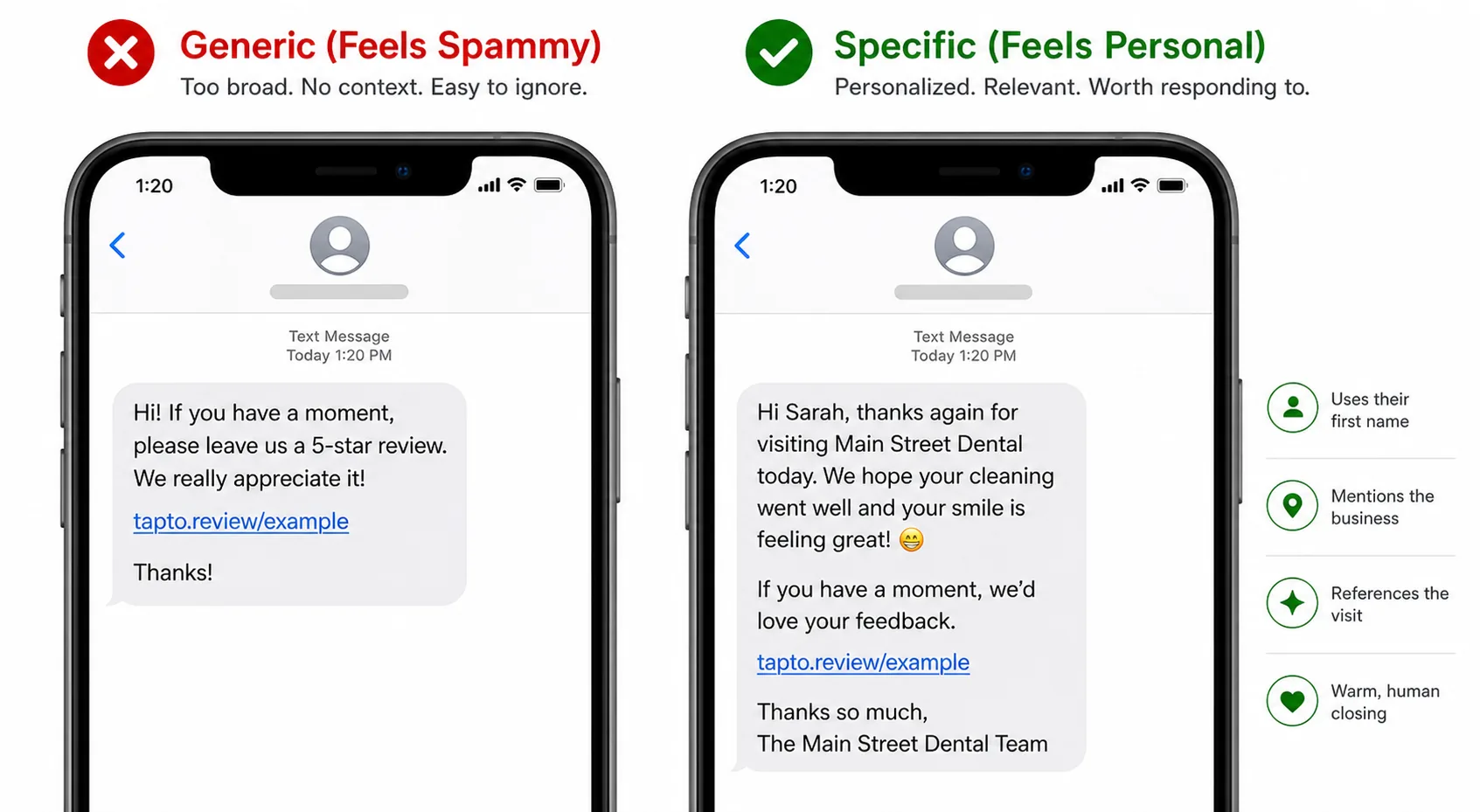
The opposite mistake from being too verbose: a message so generic it could have been sent by any business to any customer. "Thank you for your recent visit. Please leave us a review at this link." No name, no service mentioned, no staff member, no acknowledgment that this is a specific transaction with a specific person.
A fully generic text reads as a blast, and the customer's pattern-recognition treats it the same way it treats every other blast they got that day, which is to say, by ignoring it. The conversion penalty is real and measurable. The same message with a first name and a service reference converts roughly 30–50% better than the fully generic version in the businesses where I can A/B test it cleanly.
The personalization that matters is small and specific. A first name. A phrase referring to the visit ("for the haircut today," "for Apollo's vet appointment"). The staff member's name when relevant ("Maya said it was great to see you"). These data points are sitting in your booking system already. You don't need a CRM project to surface them, you just need your review-request tool to read the booking record.
What personalization does not mean: pulling in obscure customer-history details that read as creepy. "We see it's been four months since your last visit" lands wrong. "We hope your new puppy is doing well" lands wrong. The rule of thumb: would a friendly host who actually remembered the customer plausibly say this in conversation? If yes, fine. If no, leave it out.
Before:
Thank you for your recent visit. Please leave us a review: https://g.page/r/...
After:
Hi Maria, thanks for the cut and color today. Maya said it was great to see you. If you have 20 seconds, a quick Google review would mean a lot: https://g.page/r/...
The "before" looks like spam. The "after" looks like a person from a specific business who remembers a specific visit. Same length, almost the same word count, completely different conversion.
Mistake 5: Customer Doesn't Recognize the Number
The fifth mistake is the most invisible, because it has nothing to do with what the message says. It's that the message arrives from a number the customer has never seen before: a generic Twilio 10-digit code, a shortcode they don't recognize, or a number from a different area code than the business they just visited. The customer glances at the preview, doesn't recognize the sender, and either ignores it or marks it as spam.
What this looks like in practice: a salon in Atlanta whose review texts go out from a 415 area code because that's what the platform happened to provision. A dentist whose messages come from a five-digit shortcode shared with two hundred other businesses. A restaurant whose number on the texts is different from the number on their Google profile, their business card, and their voicemail greeting. In every case, the customer has no way to know it's actually them.
The fix is to send from a local number, same area code as the business when possible, and ideally the same number across all touchpoints, so that if the customer has the business in their contacts, the review request shows up under the business name instead of a random string of digits. That number should also be on your website, on your reception sign, and in your appointment-confirmation messages. Repetition is what trains recognition.
The other piece of this mistake is sender-name registration where it's available. In some markets and with some carriers, you can set a sender ID, a short text identifier that shows up instead of (or alongside) the phone number. Where available, register your business name. Where it isn't, repeat the business name in the first few words of the message so the customer's preview shows "Hi Maria, this is Suzanne at Bloom Salon…" rather than "Hi Maria, thanks for…"
This is also where TCPA and carrier rules become operational. Numbers that haven't been registered through A2P 10DLC tend to get filtered into "junk" categories, which makes them look even less recognizable. The compliance side is in the TCPA piece, but the short version is that registration helps deliverability as much as it helps compliance.
What to Check Before Changing the Message
Before you rewrite a single character of the message itself, run these three diagnostics. In my experience, two-thirds of underperforming review programs fix themselves at this stage without anyone touching the copy.
1. Deliverability: are the texts actually arriving?
Pull the last thirty days of sends and compare the "sent" number against the "delivered" number from your platform. Anything below ~95% delivery is a problem. If you can, send a test message to a personal phone on each major carrier (Verizon, AT&T, T-Mobile) and confirm it lands. If you see clean sends with poor delivery, the culprit is usually A2P 10DLC registration or content filtering, not the message.
2. Timing: when are the texts going out, relative to the visit?
For a random sample of last week's customers, pull the appointment completion time and the SMS send time. If the gap is more than 2–3 hours on a meaningful percentage, you have a timing problem. Same-day sends aren't enough; the warm window is closing inside the same day. Anything sent past 4 hours is borderline. Anything next-day is dead.
3. Opt-outs and suppression: are you skipping customers without realizing?
Check your suppression list. Owners are sometimes surprised to find that 10–20% of their customer base is suppressed, sometimes because of legitimate STOP replies, sometimes because of stale historical sends, sometimes because of a system import that accidentally suppressed everyone in a batch. If half the customers you think you're texting aren't actually being texted, your conversion-on-sent looks fine while your conversion-on-customers tanks.
Only after those three diagnostics come back clean does it make sense to rewrite the message. And once you do rewrite it, the changes are almost always smaller than owners expect: first name, shorter copy, link last, business name in the opening. The full playbook on writing a request that converts is in my pillar piece on getting more Google reviews, and the analytical side of which channel to pick is in the email vs SMS breakdown.
Frequently Asked Questions
Frequently Asked Questions
- How long should I wait to send a review request text after a service visit?
- Send within one hour of the appointment ending, ideally inside the first 30 to 45 minutes. Conversion roughly halves by hour four and collapses to low single digits by the next morning.
- What is a good conversion rate on review request texts?
- A well-built program converts 20 to 30 percent of sent requests into published Google reviews. Anything under 10 percent points to a fixable problem in timing, message length, personalization, or sender recognition.
- Should review request texts be sent from a local phone number?
- Yes. Use a number with the same area code as the business, and keep it consistent across all customer touchpoints. Unfamiliar numbers and shared shortcodes are routinely ignored or flagged as spam.
- Is it better to send a review request by SMS or email?
- SMS converts roughly five to seven times higher than email for review requests in local services. Email still has a role for follow-up the next day, but it should not be the primary channel.
- Does A2P 10DLC registration affect review request deliverability?
- Yes. Unregistered numbers are increasingly filtered into spam folders by carriers, which kills deliverability before the message wording even matters. Register before you scale sends.
- Can I send a second review request if the customer did not reply to the first?
- One gentle reminder 24 to 48 hours later is acceptable for high-value services. A third send reads as nagging and damages the customer relationship more than it helps the review count.
If your conversion is stuck in single digits and the diagnostics above come back clean, the problem is almost certainly in one of the five mistakes, and the fix is rarely more than an afternoon of work. If you'd rather skip the audit and start with a setup that gets all five right by default, that's the version of the system I built ThankYouReview to ship out of the box. Either way, the goal's the same: get a thoughtful, short, personalized text into the customer's hand inside the warm window, every time, from a number they recognize. Do that and the conversion takes care of itself.
Keep reading
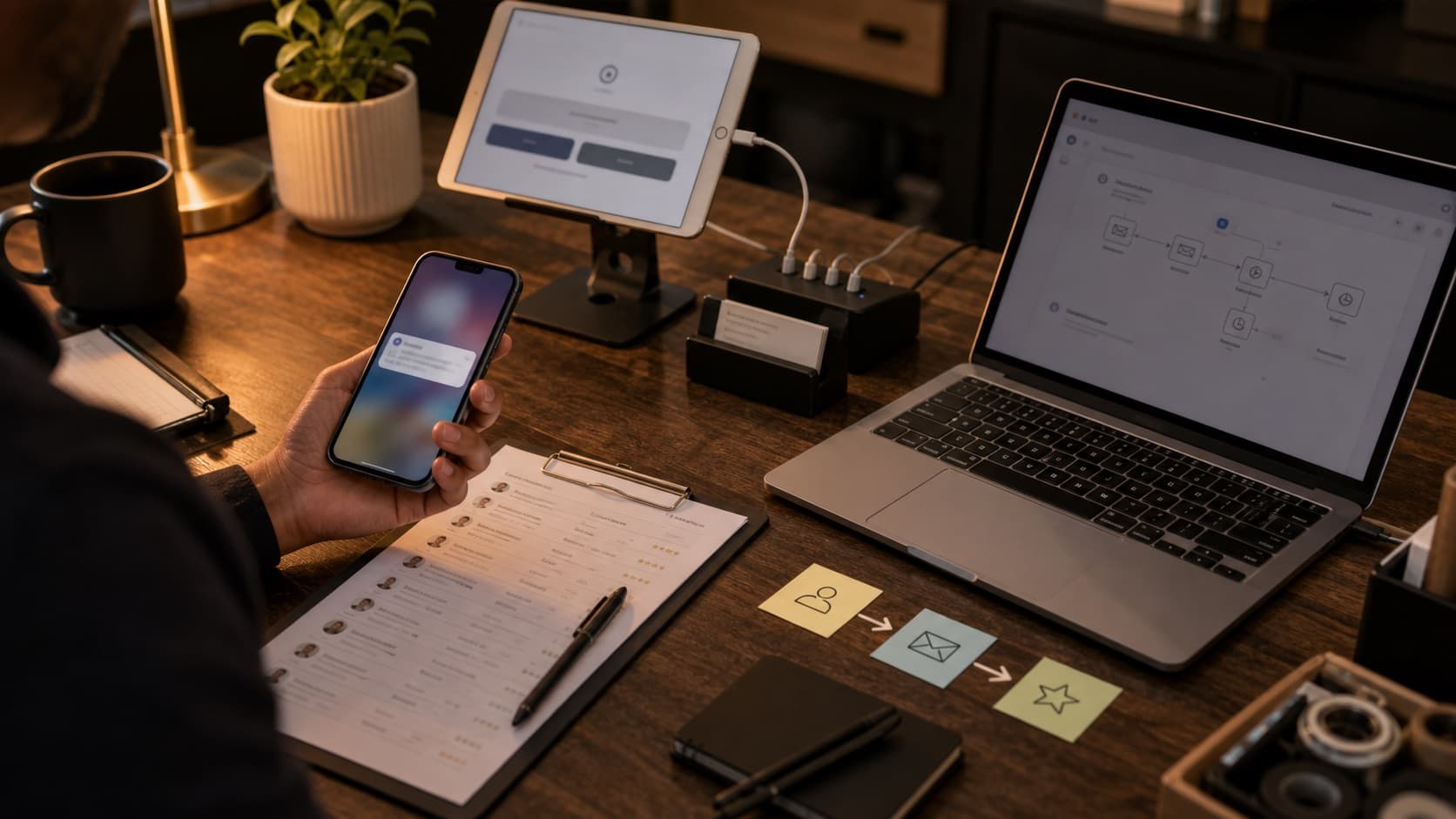
The Operator's Guide to Review Request Automation
What to automate first in your review-request flow, where most operators get it wrong, and the trade-offs between email, SMS, and kiosk.
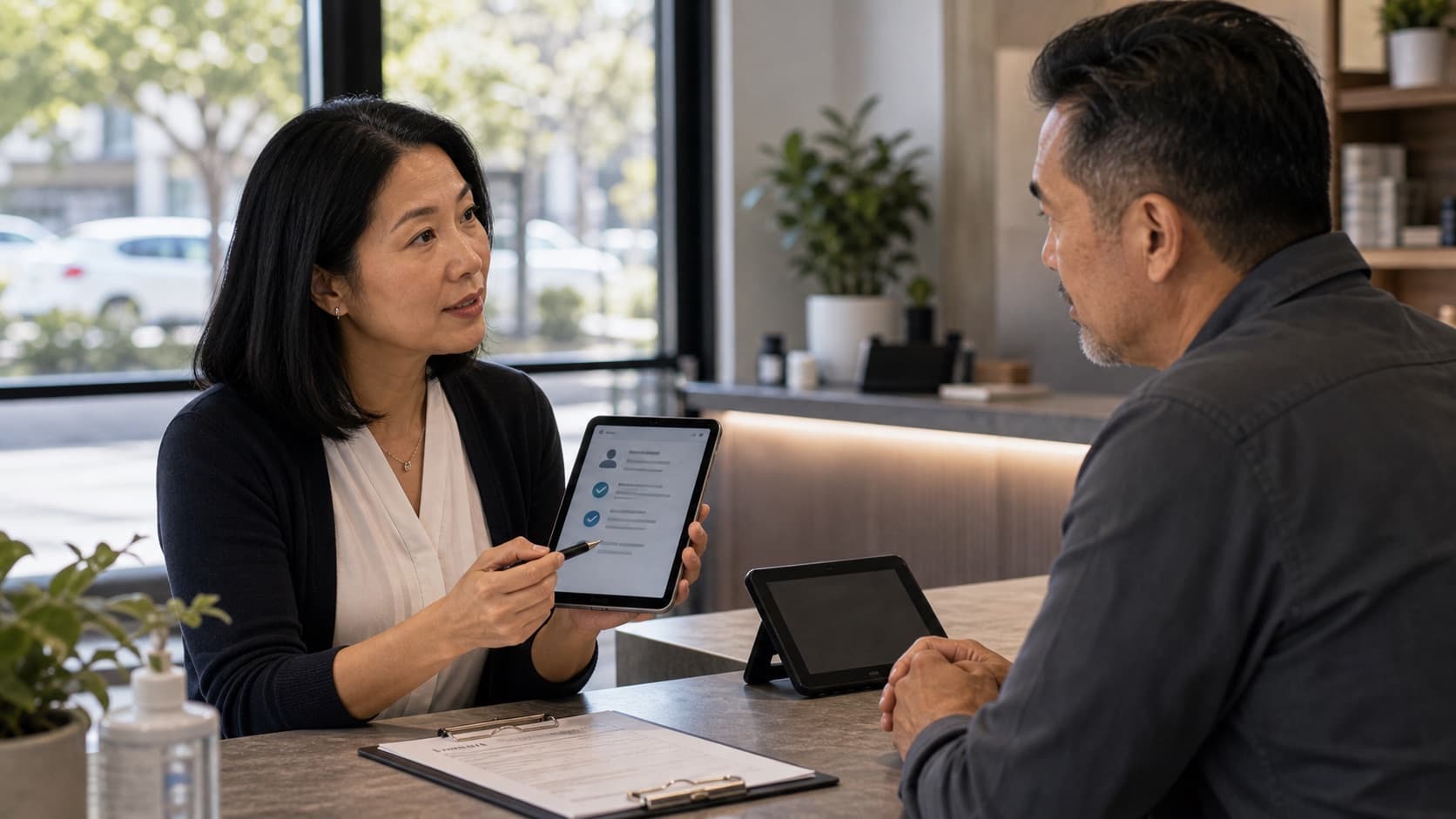
TCPA Compliance for Review Request Texts: What Every Local Business Should Know
A plain-English guide to TCPA compliance for review-request SMS — consent, opt-out, A2P 10DLC, and the mistakes that get businesses sued.
How to Get More Google Reviews in 2026: A Playbook for Local Operators
A practical, end-to-end playbook for getting more 5-star Google reviews without bribing customers or breaking Google's policies.